

The Field Service Optimization Engine is a natural follow-up to scheduling policies, but it is not something we have really gone in depth on before. This guide covers what it actually is, how the different optimization types work, where it breaks down, and how to adopt it without creating operational chaos.
The optimization engine is powerful, but only when data quality, process design, and dispatcher trust are in place.
Scheduling Policy vs Optimization: Start With the Right Mental Model
One of the most common mistakes I see is treating scheduling policy and optimization as the same thing. They are connected, but they are not interchangeable.
- Scheduling policy: Helps decide the best resource for a specific appointment while enforcing rules.
- Optimization engine: Improves the schedule across many appointments and resources at once.
I explain it this way: scheduling policy answers, “Who should do this job?” Optimization answers, “What schedule shape is best overall?”
In practice, scheduling policies show up in several places:
- Out-of-the-box booking flows
- Candidate selection behavior
- Auto-scheduling behavior that relies on policy logic
- Dispatch console drag-and-drop validation
Optimization sits on top of that foundation. If your policy and data are weak, the optimizer won’t earn trust.
Why Many Teams Avoid Optimization
When teams hesitate to adopt optimization, I usually see three root causes.
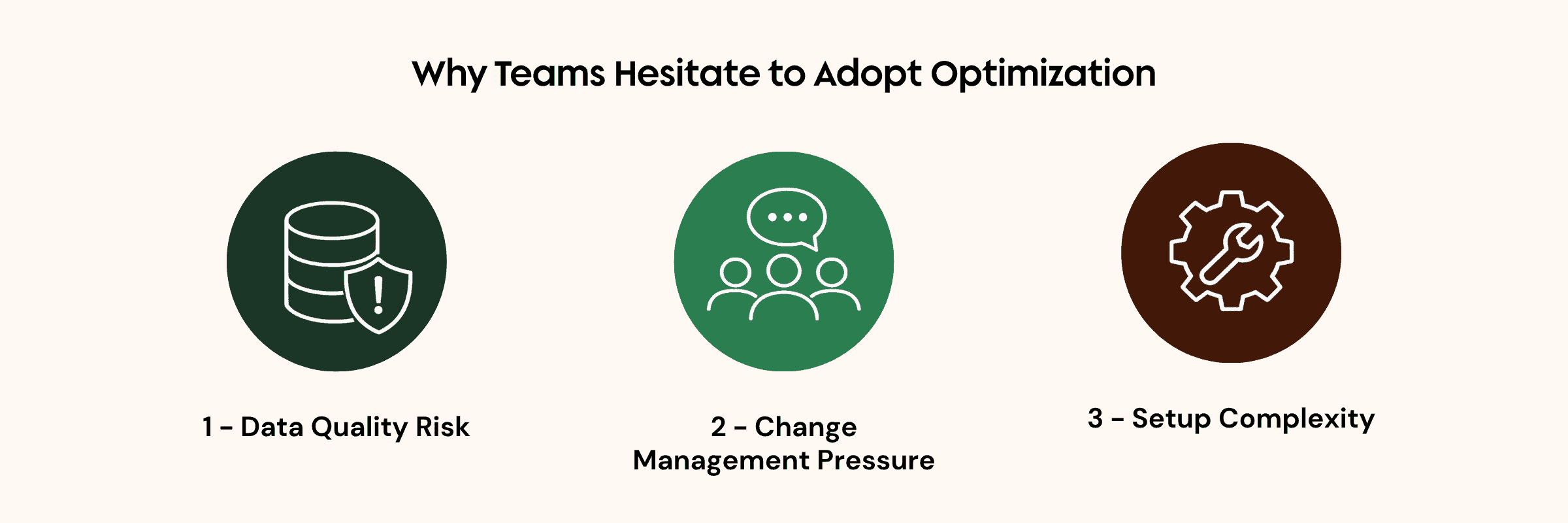
1) Data Quality Risk
Optimization quality depends directly on Field Service data quality. I look for these basics first:
- Accurate geocoding on account and service locations
- Realistic work durations on work types and appointments
- Consistent skill definitions and assignments where skill logic matters
- Clean, intentional territory design
If these are inconsistent, results look wrong fast, and dispatchers lose confidence.
2) Change Management Pressure
Dispatchers are often very good at manual control and local judgment. If you introduce automation without building confidence, even good outcomes can feel risky.
I treat optimization adoption as a trust curve, not a switch.
3) Setup Complexity
Optimization is not something I recommend enabling and forgetting. I treat it as an operating system that needs tuning:
- Scheduling policy tuning
- Territory reliability
- Ongoing data maintenance
- Pre-go-live validation
If I had to summarize a rollout strategy in one sentence: start small.
Start Small: Why Targeted Runs Are Best
I almost always recommend narrow runs before broad ones:
- One territory
- One day type
- One objective set
This reduces risk in practical ways:
- Faster runs
- Easier troubleshooting
- Cleaner trust-building with dispatchers
When teams start small, they can prove value, tune behavior, and then scale gradually. That small-scope approach also makes it easier to choose the right optimization type for the problem you’re actually trying to solve.
The Four Optimization Types and When to Use Each
The engine gives us four optimization types. Choosing the right one is a big part of success.
| Optimization Type | What It Does | Scenario |
|---|---|---|
|
Global Proactive |
Evaluates all appointments within the horizon across selected territories. | Night batch runs to build the next day or week's schedule. Resource intensive, runs after hours. |
|
In-Day Reactive |
Optimizes the schedule for the current day across selected territories. Dynamically adjusts for cancellations, delays, or new urgent jobs. | During the service day when things change. Useful for dispatchers who need to react and adapt. |
|
Resource Schedule Optimization Reactive |
Handles a schedule for a single resource. Reshuffles their existing appointments to make room for high-priority work or fill gaps. | Dispatcher needs to fix a technician's schedule for the day. |
|
Reshuffle Reactive |
Reschedules appointments for specific dates based on current schedule and optimization rules. | Quick midday adjustments when multiple appointments need to shift. This is less intensive than In-Day. |
1) Global Optimization (Proactive)
This is the broadest mode. It evaluates appointments across selected territories and horizon windows.
Where I use it:
- Overnight planning
- Next-day or next-week baseline schedule generation
- Environments where broad rebalancing is acceptable
What I watch closely:
- Data quality sensitivity
- Potential disruption if governance controls are weak
2) In-Day Optimization (Reactive)
I use in-day optimization for active-day events like:
- Cancellations
- Delays
- Emergency jobs
This is especially useful in dispatcher-led environments that need continuous adaptation.
3) Resource Schedule Optimization (Reactive, Individual)
This mode targets one technician and reshuffles that person’s appointments.
I find it most useful for:
- Fixing one technician day
- Filling gaps
- Making room for urgent work without broader disruption
4) General Reshuffle (Reactive, Lighter)
General reshuffle adjusts appointments based on current schedule and criteria, but with less system load than broader in-day runs.
I use it for:
- Midday adjustments where I want lower processing overhead
If your team is early in maturity, these narrower reactive modes are usually easier to adopt than large global runs.
How the Optimizer Scores and Why It Can Feel Unpredictable
The scoring logic combines objective grades and weights, plus priority influence where applicable.
At a high level, it:
- Processes appointments by priority
- Evaluates qualifying resources via work rules
- Scores resource/time-slot combinations
- Assigns the best immediate option
Then it does something many users do not expect:
- It may unschedule and try alternatives
- It compares overall schedule grades
- It keeps the better version
- It repeats until the optimization window closes
This iterative behavior is why outcomes can feel non-linear compared to one-pass manual planning.
One critical implication I always highlight:
- The optimizer can unschedule appointments if that improves the total schedule score.
That is powerful, but it requires strong pinning and status governance. Once you understand that behavior, the next question is how to give the optimizer enough flexibility without losing control of the schedule.
Pinning, Priorities, and Horizon Strategy
For stable adoption, I rely on pinning and horizon controls.
- Pinned appointments do not move.
- Dispatchers can manually pin sensitive bookings.
- Over-pinning can degrade quality by removing flexibility.
I also use horizon windows to control what optimization can touch:
- Keep near-term schedules stable
- Optimize farther horizons for planning
- Let dispatchers refine before customer-committed windows
This is one of the safest ways to introduce optimization without disrupting commitments.
Routing Types: Accuracy, Cost, and Data Intensity Tradeoffs
Travel modeling has a major impact on outcome quality.
| Routing Type | How It Calculates | Accuracy | Notes |
|---|---|---|---|
|
Aerial (Point-to-Point) |
Straight-line distance from A to B, or "as the crow flies." Ignores roads, traffic, and driving conditions. | Low | Default / fallback. Fine for rough estimates, less ideal in dense urban areas. |
|
Street-Level Routing (SLR) |
Travel calculated based on actual road networks. Accounts for physical roads and real driving paths. | Medium-High | Major improvement over aerial. Uses additional API calls. |
|
Predictive Travel (with SLR) |
Adds historical traffic data to SLR. Travel estimates vary by time of day. | Highest | Pairs with SLR. Most realistic but also most data-intensive. |
Aerial Point-to-Point
- Common default
- Straight-line distance (“as the crow flies”)
- Ignores roads and traffic
- Useful for rough estimates, weaker in dense areas
Street-Level Routing
- Uses road network paths
- Improves realism and ETA quality
- Usually requires additional API processing
I don’t treat one as universally best. I match routing fidelity to operational needs and technical readiness.
Scale Limits, Timeouts, and Other High-Impact Constraints
I always plan around practical limits and failure modes.
Examples I pay attention to:
- Territory/resource/appointment scale guardrails
- Optimization timeout behavior
- Resource intensity of large jobs
- Arrival-window tightness reducing flexibility
- Required-resource hard-fail behavior when that person is unavailable
These are the reasons optimization is an operating design problem, not just a feature toggle.
Legacy vs ESO: Why Enhanced Scheduling Optimization Matters
Enhanced Scheduling Optimization (ESO) on Hyperforce introduces meaningful improvements over legacy behavior.
| Legacy | ESO | |
|---|---|---|
| Infrastructure | Managed Package scheduling engine | Runs on Hyperforce |
| Bundling | Not supported | Supported. Group nearby appointments to reduce travel |
| Appointment Sliding | Not available | Available, shift earlier / later within resource availability |
| Travel Modes | Single mode | Multiple modes per territory or resource |
| Territory Toggle | All or nothing | Enabled ESO per territory (gradual) |
| Flexible Breaks | Limited | Improved break handling during optimization |
The differences I focus on include:
- Bundling support
- Appointment sliding improvements within availability constraints
- Multiple travel mode handling at territory level
- Improved break handling
From a user perspective, configuration may feel similar, but these differences can materially affect rollout strategy.
Dispatcher Role Shift: Automation Assistant, Not Automation Replacement
When optimization comes in, dispatchers are still essential. In my view, their role shifts from full manual builder to exception manager and quality controller.
Optimization can produce a baseline. Dispatchers still provide the judgment layer:
- Edge-case overrides
- Context-based decisions
- Customer-impact choices
- Recovery from hard-fail scenarios
- Manual adjustments
This shift often improves throughput and frees time for higher-value coordination work. That change in dispatcher responsibility also affects how I think about customer-facing communication and appointment statuses.
Customer Notifications and Status Design
Another thing I always design early is notification logic. If appointments move during optimization, status strategy becomes critical.
A pattern I use:
- Keep early statuses non-customer-facing
- Trigger customer notifications at committed statuses
- Add automation rules so reactive reoptimization does not create noisy updates
Without this layer, optimization can improve schedule quality while hurting customer communication.
What About Non-FSL Objects and Mixed Workforce Models?
I also get asked about extensibility and mixed workforce operations.
What I tell teams:
- Optimization is tied to service appointment models in Field Service.
- Custom scheduling-object orgs may face migration-level effort to adopt optimizer behavior.
- Lead-tech plus variable-crew models can be partially handled with crew patterns, but licensing and data-capture strategy still matter.
This is where architecture, licensing, and workforce reality intersect. The right answer is usually economic and operational, not purely technical.
Case Study: Global Services Enterprise Transformation
“I was very satisfied with the Growth Heroes expertise and dedicated support. The bonus was the development of a partnership that felt like our two companies were one of the same. The desire, responsiveness, and professional work ethic are world class!”

Chris Gentry
Global Service Director
Halton Group
FAQ
What is the main difference between scheduling policy and optimization?
I use scheduling policy for appointment-level selection and validation, and optimization for broader schedule rebalancing.
Why does optimization fail in many orgs?
In my experience, the biggest causes are poor data quality, weak change management, and rolling out too broadly too early.
Can optimization move or unschedule appointments?
Yes. The engine can unschedule and re-evaluate placements to improve total schedule score.
How do I prevent disruption near customer-committed dates?
I use horizon windows, status strategy, and pinning rules to limit what optimization can change.
Should I start with global optimization?
Usually no. I recommend targeted reactive modes and small scopes first.
Closing
I don’t treat the Field Service Optimization Engine as a magic switch. I treat it as a force multiplier that works when data, process, and governance are aligned.
The teams I see succeed roll it out as a staged operating model change. Start small, build confidence, and let automation earn trust before you scale it.
Ready to Optimize Your Salesforce Field Service Strategy?
Getting optimization right takes more than turning on the engine. If you’re evaluating Salesforce Field Service optimization or trying to improve an existing setup, Growth Heroes can help you align the data, scheduling strategy, and processes behind it.