Salesforce just dropped another 874-page release PDF with its Summer ‘26 Release. Three times a year, the ecosystem gets flooded with feature announcements—but which ones actually matter for your clients? Our team broke down the Summer ’26 release with a focus on what’s practical, what’s impactful, and what you should be paying attention to right now.
Starting with API version 67, Salesforce is making fundamental changes to how Apex handles security:
Database operations run in user mode by default: Previously system mode, now enforced user mode. This is a secure-by-default shift
Apex classes enforce sharing rules by default: If you previously left sharing unspecified, it defaulted to without sharing. Now it’s the opposite
SOQL security_enforced clause is removed: Completely gone in API version 67. You can’t use it anymore
Apex triggers always run in system mode: This one applies to ALL API versions—Salesforce is standardizing edge cases that previously behaved inconsistently
The good news: these changes are limited to API version 67 and later, giving teams time to audit and adapt. But make no mistake—this is a significant shift that affects how you write and deploy Apex going forward.
Additionally, LWC State Manager is now GA after a long beta period. It simplifies complex data interactions in Lightning Web Components, and Salesforce has published solid documentation for getting started.
Flow Improvements That Solve Real Problems
Flow continues to get significant investment every release. Here are the changes that eliminate workarounds you’ve probably been using for years:
Agentforce for Flow reverted to beta: It went GA in Spring, then got demoted because it “wasn’t consistently delivering.” Beta means beta—keep that in mind before building on it.
Unanimous approval for groups: You can now require every member of a group to approve before an approval step proceeds. Previously, one member could approve for the entire group.
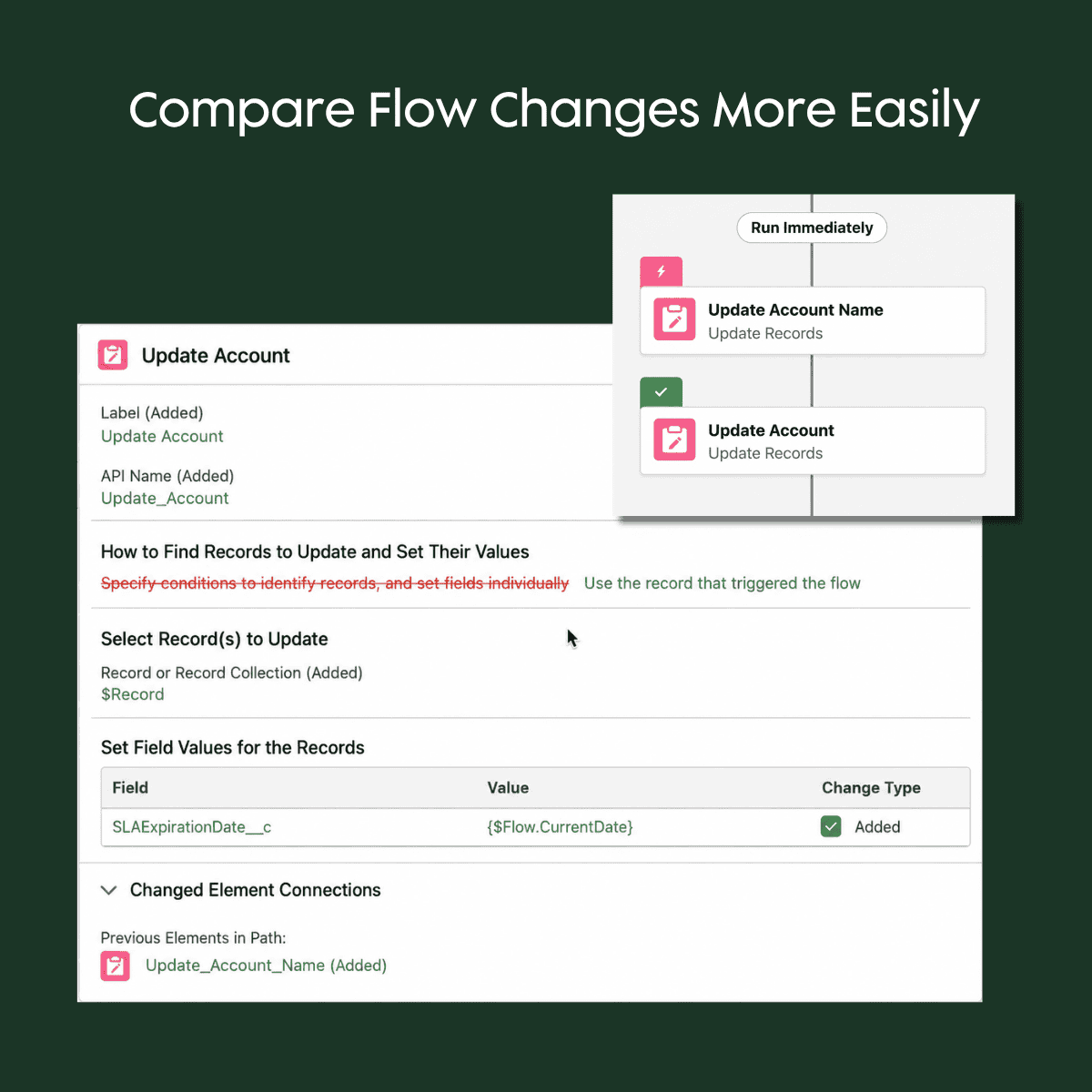
Version comparison on canvas: The Automation app now lets you visually compare flow versions on the canvas itself, showing what changed between versions with a detailed table view.
Summer ’26 adds visual Flow version comparison, making it easier to see Update Records changes both on the canvas and in the detailed element view.
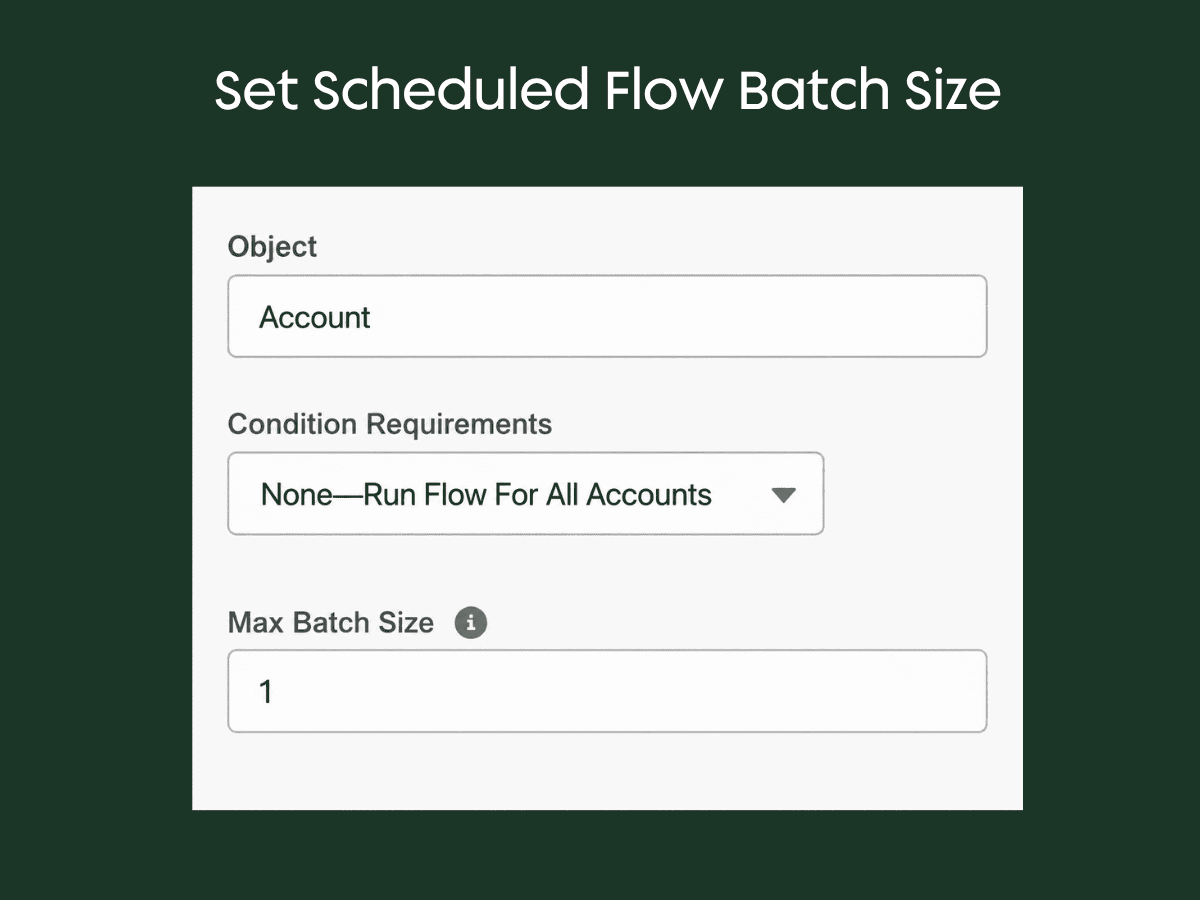
Configurable scheduled flow batch size: Previously locked at 200 records, you can now set batch size from 1 to 200. This helps with CPU timeouts and row locking issues—particularly useful when chained automations create processing bottlenecks.
Summer ’26 lets admins configure scheduled flow batch size from 1 to 200, helping reduce processing bottlenecks and row locking issues.
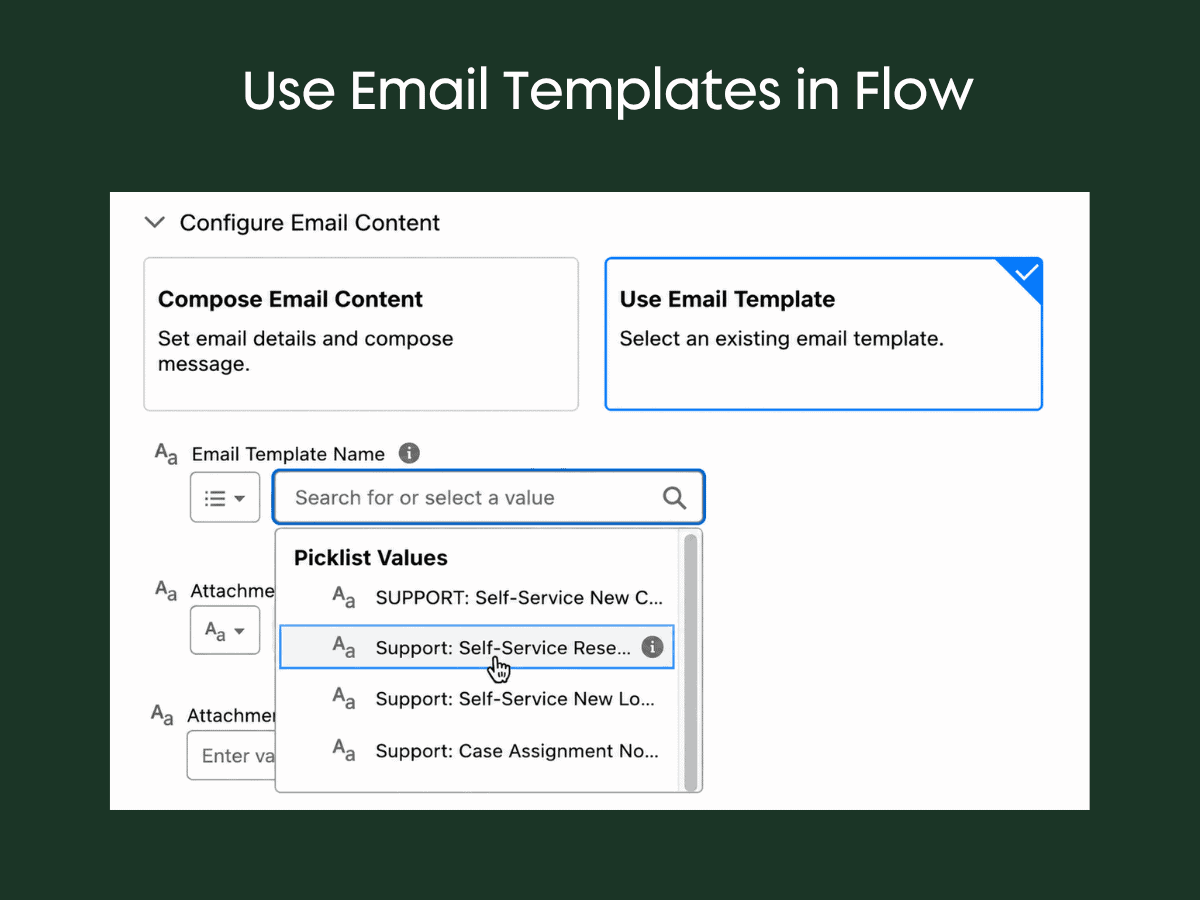
Email template references deploy correctly: Flow email template references now use picklist values tied to Lightning email templates. No more broken IDs and manual post-deployment steps in production.
Summer ’26 improves Flow email template references by using picklist values tied to Lightning email templates, reducing broken IDs and manual post-deployment fixes.
Data table lookup links: No more creating custom formula fields just to make data table columns linkable. Lookup fields now have “show record name” and “link to record” options built in.
Summer ’26 adds built-in options to show record names and link lookup fields directly in Flow data tables, reducing the need for custom formula fields.
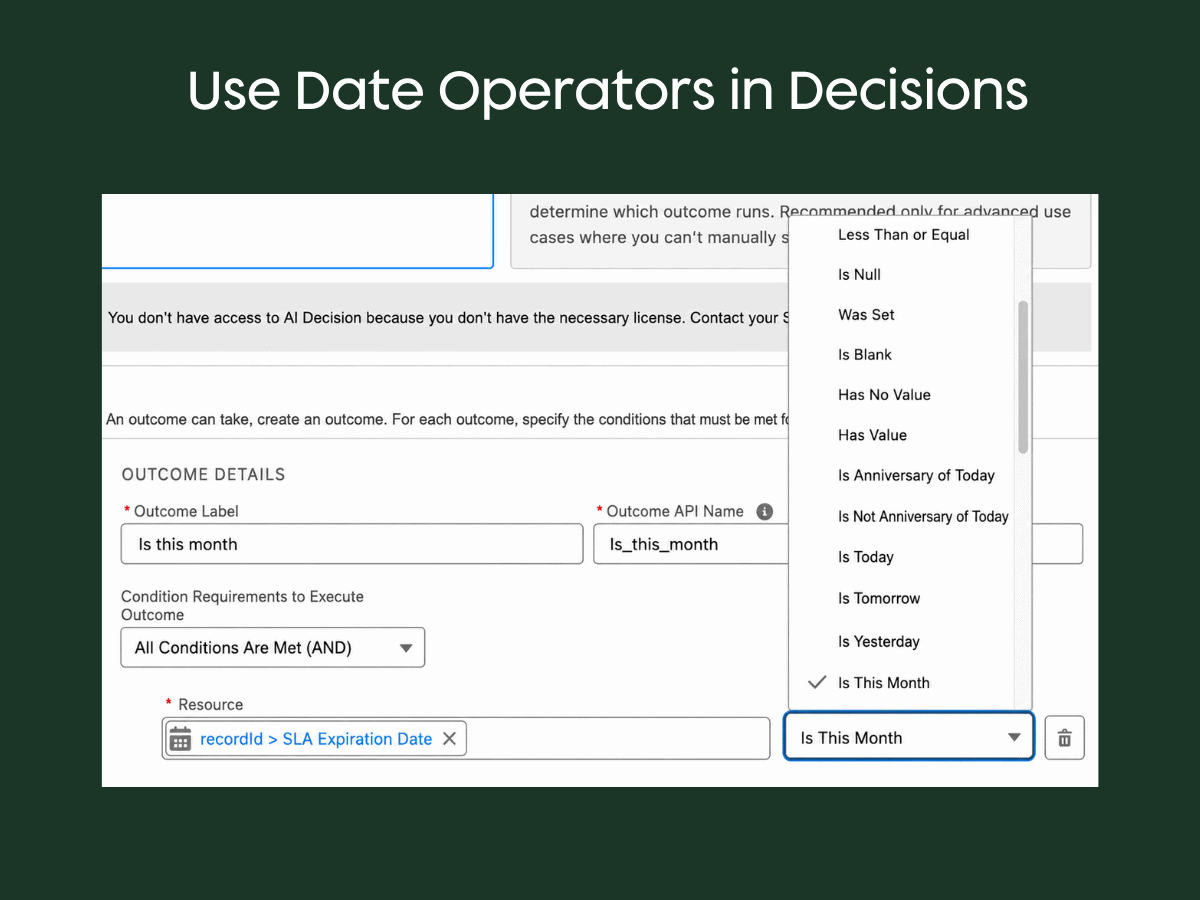
20+ new date operators in decisions: Operators like “is anniversary of today,” “is this month,” “is next month,” and dynamic “next number of days” eliminate the wild formulas you’ve been building.
Summer ’26 adds new date operators in Flow Decisions, including Is This Month, Is Today, and Is Anniversary of Today, reducing the need for complex date formulas.
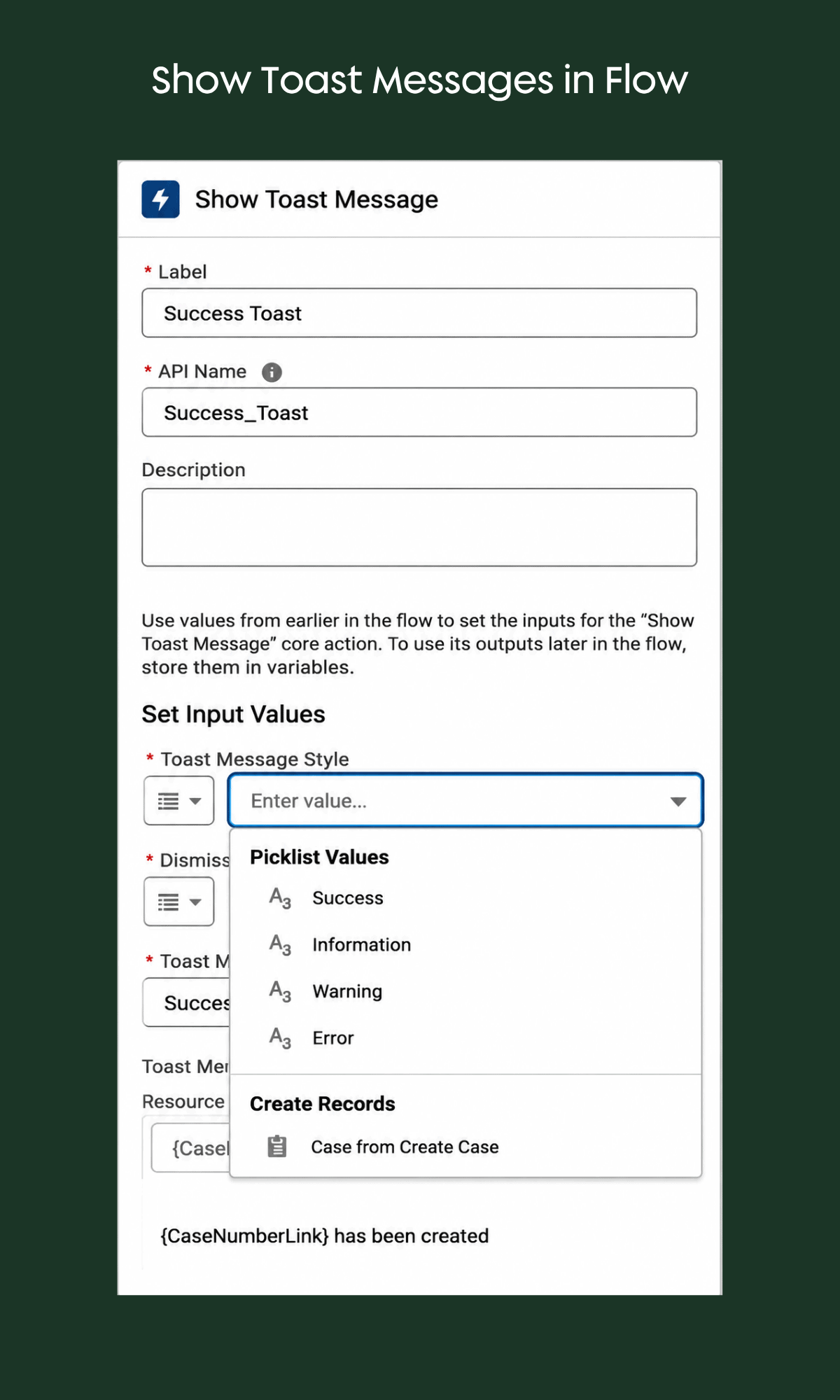
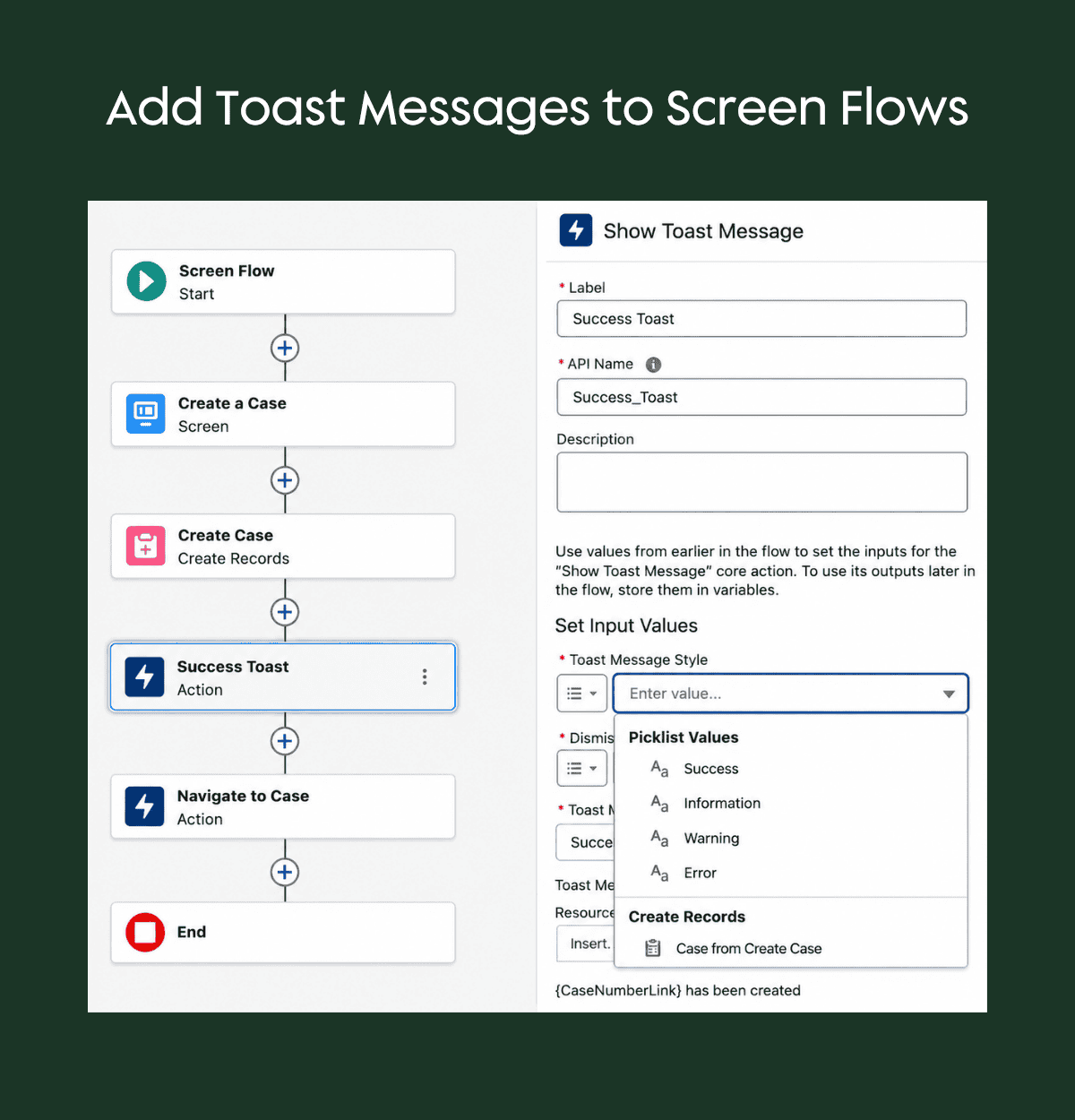
Native toast messages and page navigation: No more installing unofficial packages. Two new actions let you show toast messages (with hyperlinks in the body) and navigate to Salesforce or external pages directly from a flow.
Summer ’26 adds a native Show Toast Message action in Flow, giving admins a built-in way to display success, information, warning, or error messages without unofficial packages.
Summer ’26 adds native toast message actions to Flow, giving admins a built-in way to display success, information, warning, or error messages during screen flows.
Reports, Dashboards & Branding
Two row-level formulas per report: Previously capped at one, this reduces the need for custom formula fields on objects.
Lightning Web Component on dashboards: You can now add an LWC widget to standard dashboards (one per dashboard), enabling users to filter, explore, and act on data without leaving the dashboard.
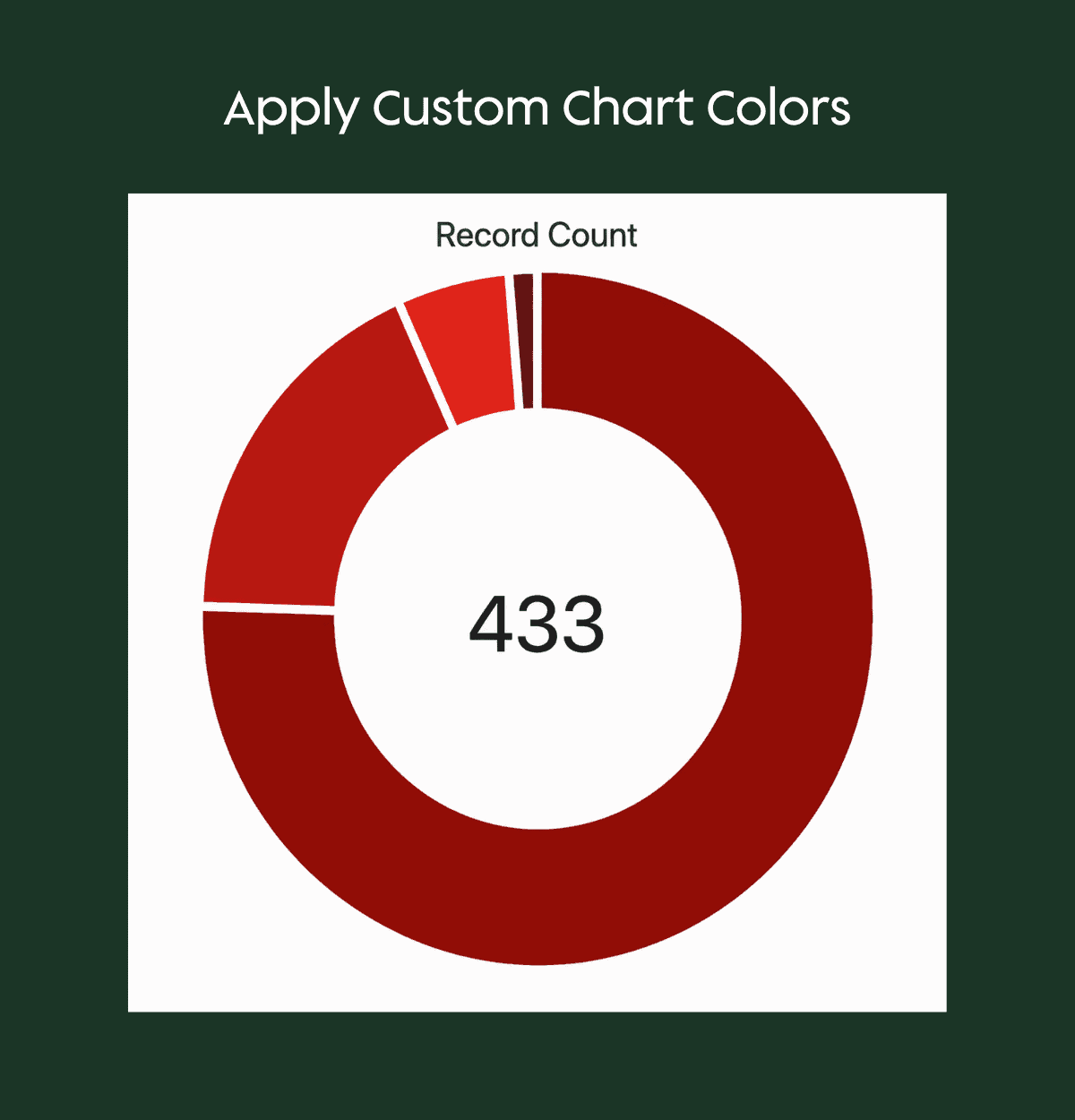
Custom branding colors for charts: No more being stuck with Salesforce’s default blue palette. You can now apply your org’s branding colors to report charts and dashboard widgets—particularly impactful for Experience Cloud sites.
Summer ’26 lets teams apply custom branding colors to Salesforce report charts and dashboard widgets instead of relying on the default color palette.
Beyond admin and platform changes, several updates will affect how sales, service, and marketing teams use Salesforce day to day.
Marketing, Sales & Service Highlights
Marketing
Salesforce is putting all their investment into Marketing Cloud Growth, Next, and Advanced. Account Engagement barely got a mention. Key additions:
Salesforce Foundations now includes people scoring and web tracking: Features that previously required Marketing Cloud Growth licenses are now available in the free foundations tier.
Sales
Einstein Conversation Insights data moves on-platform: ECI data is migrating to core Salesforce, making it reportable and usable in Flow, Apex, and Prompt Builder.
Pipeline inspection activity field: With EAC enabled, you get an interactive activity component showing outbound and inbound activities directly in pipeline views.
Service
Omni-channel routing by original create date: Route work based on when it was originally created, not just when it enters the queue. This lets reprioritized cases jump ahead of newer ones.
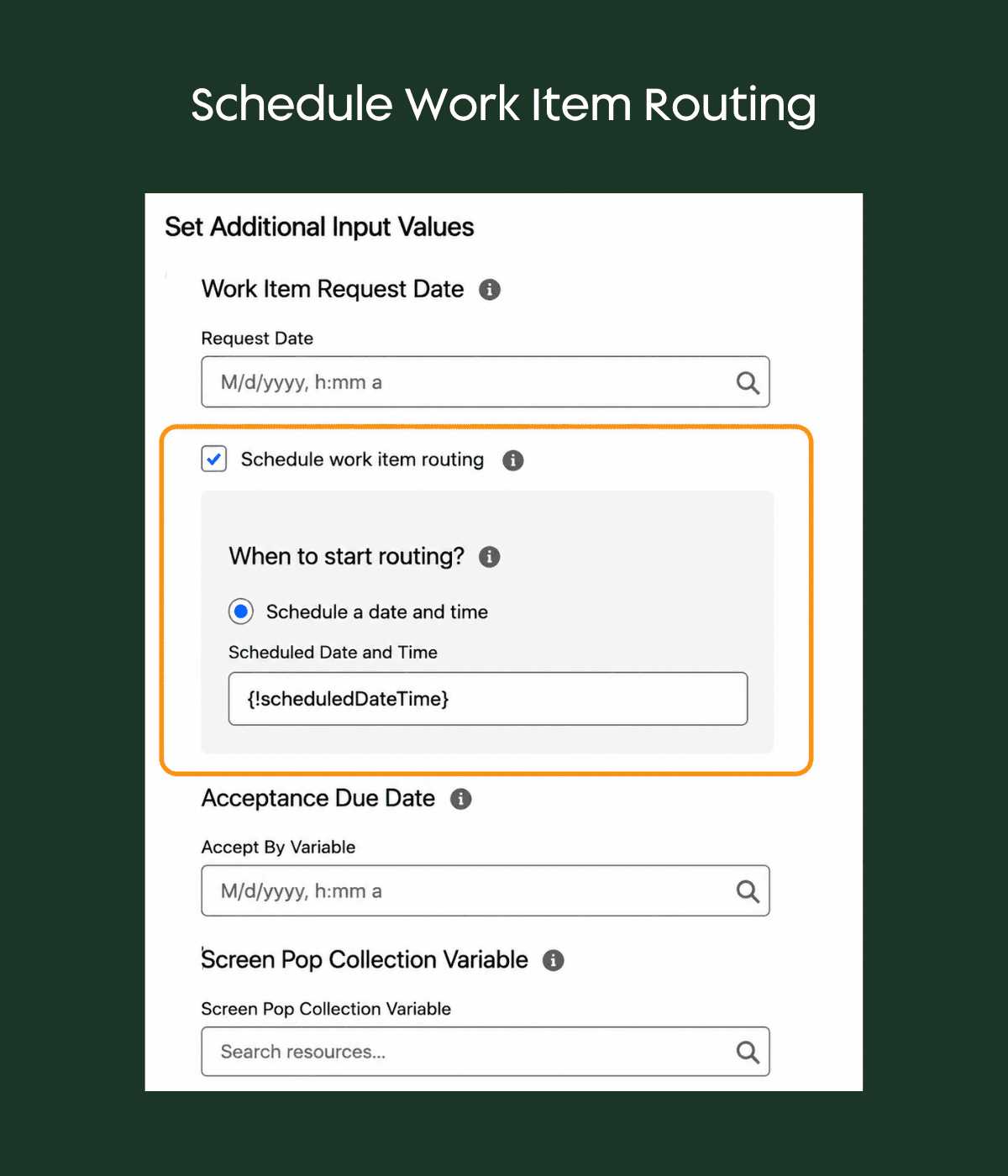
Scheduled routing at specific date/time: Add delays or schedule work assignment based on dates already on the record.
Summer ’26 adds scheduled work item routing, letting teams delay or schedule assignment based on a specific date and time.
Messaging session reporting: Report on messaging sessions related to cases—previously a black box.
First response time for enhanced messaging: This existed in legacy chat but wasn’t carried over. Now it’s available without workarounds.
Standard case assignment rules for community: A simple checkbox lets you use standard assignment rules for portal-created cases.
A few broader platform changes are also worth watching, especially for teams managing portals, permissions, files, and user experience.
Platform & Security Updates
Chatter off by default in new orgs: Slack channels on by default. But two gaps remain—not everyone has Slack, and it doesn’t work externally (portals still need Chatter). 10GB file limit for LWR
Experience Cloud sites: Up from 2GB, but only for Lightning Web Runtime sites.
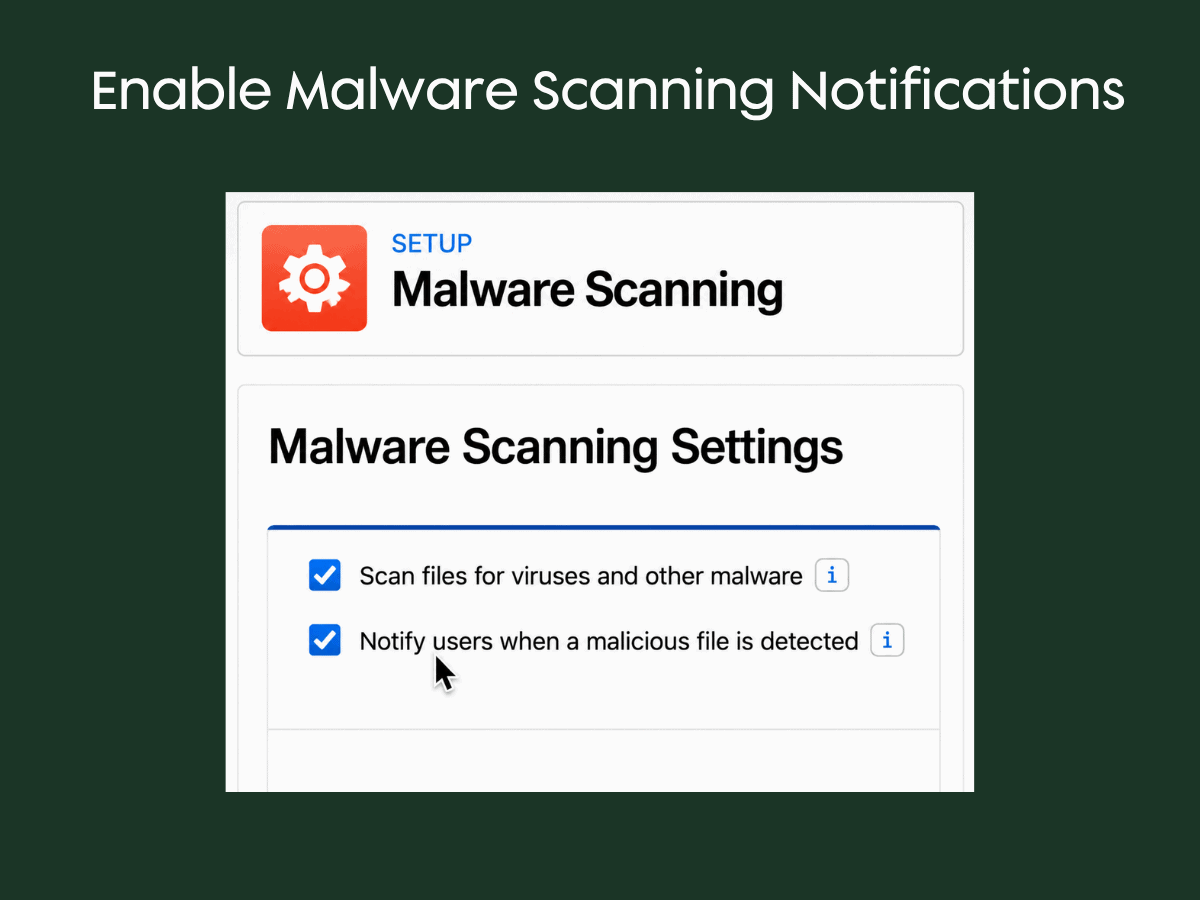
Malware scanning with notifications: Now configurable with user notifications when malicious files are detected—useful for portal file uploads.
Summer ’26 adds configurable malware scanning notifications, helping teams alert users when malicious files are detected in Salesforce.
Field access view consolidates permissions: See permission sets, permission set groups, and profiles all in one place per field. Helpful for migration ofoff profiles.
Queue hierarchy access is now optional: Uncheck “grant access using hierarchies” on queues to stop managers from receiving unwanted queue emails.
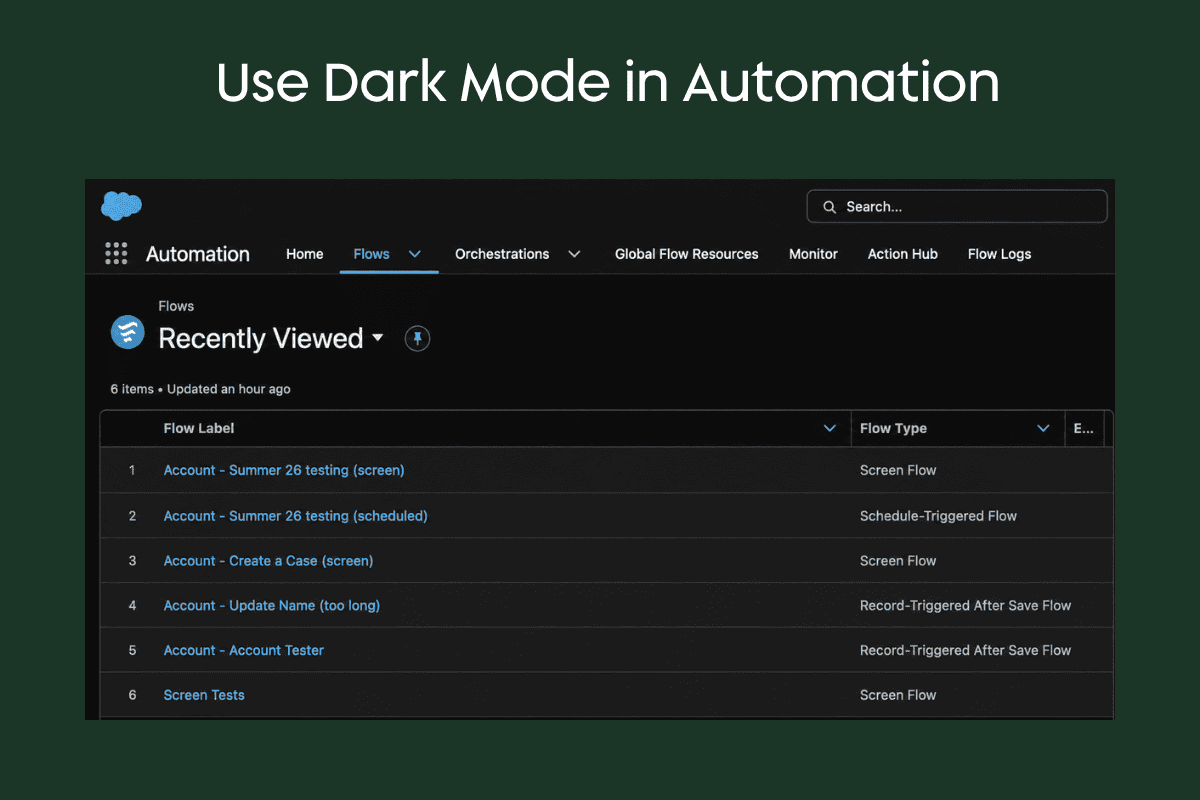
Dark mode: Available on SLDS2 themes only. Users can toggle it. Setup is still light mode only, so admins will be switching between light and dark constantly.
Summer ’26 introduces dark mode for SLDS2 themes, giving users a darker interface option in supported Salesforce apps.
What's Next?
The Salesforce Summer ’26 Release hits production June 5th or June 12th depending on your instance. Use Inspector Reloaded or the Salesforce Trust page to confirm your maintenance window.
The overarching themes are clear:
secure by default,
data consolidation on core platform,
continued Flow investment, and
Agentforce everywhere (though often gated behind specific licenses).
Keep the conversation going with your team about which features create immediate value for your clients.
FAQ
Does reducing scheduled flow batch size help with governor limit issues like the 200 Apex query limit?
The batch size setting primarily helps with CPU timeouts and row locking issues. Each batch is still treated as one transaction for governor limits. Where it really shines is when chained automations cause processing bottlenecks or when related records cause row lock errors.
Is there a wait time between batches in scheduled flows?
No configurable wait time. When one batch finishes, the next one starts immediately. Also note that processing order appears to be random—you can’t use this to serialize record processing.
Does dark mode affect dashboard charts?
This is still being evaluated. Dashboard charts in dark mode currently display with a blue background. The full impact on chart appearance and whether you should design charts for light or dark mode is still emerging.
Need Help Deciding What Matters for Your Org?
Salesforce releases can create real opportunities, but only when the updates are mapped to your current processes, technical debt, and business goals. If your team wants help reviewing the Summer ’26 release, prioritizing what to adopt, or planning safe changes across Flow, Apex, Service Cloud, Experience Cloud, or reporting, contact Growth Heroes for help turning release notes into a practical roadmap.